How to Clear Cache on Windows 11
Use MangoDisk to compare Windows app, browser, and system caches in one place. Review what takes up space and choose what to clear while keeping personal files.


Your browser is no longer supported
MangoDisk needs a newer browser to display this website correctly. Upgrade Microsoft Edge or open this page in another modern browser.
You can still download MangoDisk directly:
Upgrade Microsoft EdgeFind what's taking up disk space on Windows and Mac. Learn how to clear app caches, find large files, and remove app leftovers with MangoDisk.
C drive full, large files, temporary files, and app leftovers.
Explore guidesSystem Data, large files, duplicate files, and app leftovers.
Explore guidesXcode, npm, Cargo, pip, and Codex storage.
Explore guidesBrowsers, chat apps, meeting recordings, and app cache.
Explore guidesUse MangoDisk to compare Windows app, browser, and system caches in one place. Review what takes up space and choose what to clear while keeping personal files.
A large pagefile.sys isn't ordinary junk. Learn why Windows keeps it, when to leave its size alone, and how MangoDisk helps you find other space to reclaim.

Learn which Windows 11 temporary files are safe to remove, which entries need review, and what changes after cleanup

Use MangoDisk to compare app and browser caches on your Mac, review what to keep, and clear selected items. Includes built-in options and advice on site data.

Clear Slack cache on your Mac using Slack's built-in option, or check its size and location with MangoDisk before deleting it. See what stays untouched.

Deleting Windows.old frees space but removes your rollback option. Check your files first, then review the old installation in MangoDisk or Windows Settings.

Find what is filling your Windows 11 C drive, safely remove temporary files and unused apps, and avoid deleting system files your PC needs

Not sure what's filling up your computer? Use MangoDisk's treemap, sunburst and folder list to see disk usage, follow large folders and decide what to keep.

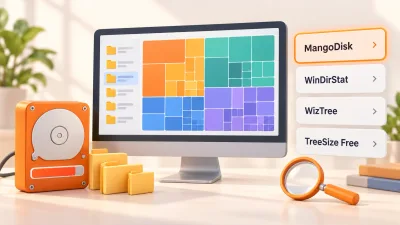
Compare MangoDisk, WinDirStat, WizTree and TreeSize Free to find what's filling your drive. See which tool fits your needs, what's free and how to follow up with cleanup.
Find the largest files on your Mac with Storage settings, Finder, and a visual disk map, then decide what is safe to delete or move

Compare TreeSize and WizTree's free features, reports and paid options. See when MangoDisk can help with disk analysis, large files and cache cleanup.

Looking for a free WizTree alternative? See when MangoDisk fits your disk analysis and file organization needs, with platform support and deletion explained.
