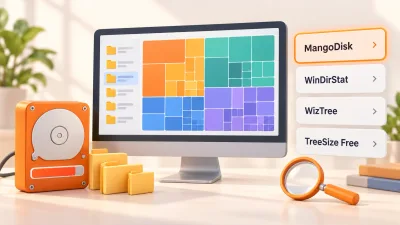
4 Free Disk Space Analyzers for Windows
Compare MangoDisk, WinDirStat, WizTree and TreeSize Free to find what's filling your drive. See which tool fits your needs, what's free and how to follow up with cleanup.

Your browser is no longer supported
MangoDisk needs a newer browser to display this website correctly. Upgrade Microsoft Edge or open this page in another modern browser.
You can still download MangoDisk directly:
Upgrade Microsoft Edge40 articles
Compare MangoDisk, WinDirStat, WizTree and TreeSize Free to find what's filling your drive. See which tool fits your needs, what's free and how to follow up with cleanup.
Compare TreeSize and WizTree's free features, reports and paid options. See when MangoDisk can help with disk analysis, large files and cache cleanup.

Looking for a free WizTree alternative? See when MangoDisk fits your disk analysis and file organization needs, with platform support and deletion explained.

Looking for a free TreeSize alternative? Compare editions, explore folder sizes, and filter large files with MangoDisk. See where it fits and how deletion works.

Compare BleachBit and CCleaner for everyday cleanup, keeping website logins and free features. See how MangoDisk separates cache cleanup from privacy cleanup.

Looking for a free, open-source CCleaner alternative? MangoDisk brings cache cleanup, disk analysis, duplicate files and privacy cleanup together. No account needed.

Tired of clearing history one app at a time? MangoDisk brings supported browser, app, and Windows activity into one place so you can choose what to clear and keep.

Compare WizTree and WinDirStat for large files, duplicate checks and free use. Find the right disk analyzer and see when MangoDisk can help with caches.

Looking for a WinDirStat alternative? See how MangoDisk combines a treemap, cache cleanup and app removal, plus the differences that matter before you switch.

Learn why C:\Windows\Installer grows, what not to delete, and how to inspect disk usage with MangoDisk before choosing safer ways to free space.

Clear out old installers, large videos and duplicate downloads with MangoDisk. Find what's worth removing from Downloads without losing files you still need.

Clear Steam cache without uninstalling games. Use Steam for download cache and MangoDisk to review supported Windows interface caches, then find what is taking up disk space.