
Mac Storage
MangoDisk: A Free, Open-Source CleanMyMac Alternative
Looking for a free CleanMyMac alternative? Use MangoDisk to clear Mac caches, find large files, and review app leftovers. No account or login required.
Want more room on your Mac without paying for a cleanup tool? MangoDisk is free and open source, with no account or login required. You can review caches, track down large folders, and check the files associated with an app before uninstalling it—all in one place, without digging through hidden directories.
If disk cleanup is your main reason for looking for a CleanMyMac alternative, these are the three places to start.
Find caches without opening every app
Browsers, messaging apps, and other software can accumulate caches over time. Finding each app's cleanup settings is tedious; deleting things directly from the Library folder makes it easy to confuse disposable caches with data you want to keep.
Open MangoDisk's Deep Cleanup and run a scan. It lists supported cleanup items with their sizes and locations. Start with the larger ones, expand them to see what is included, and choose what to remove.
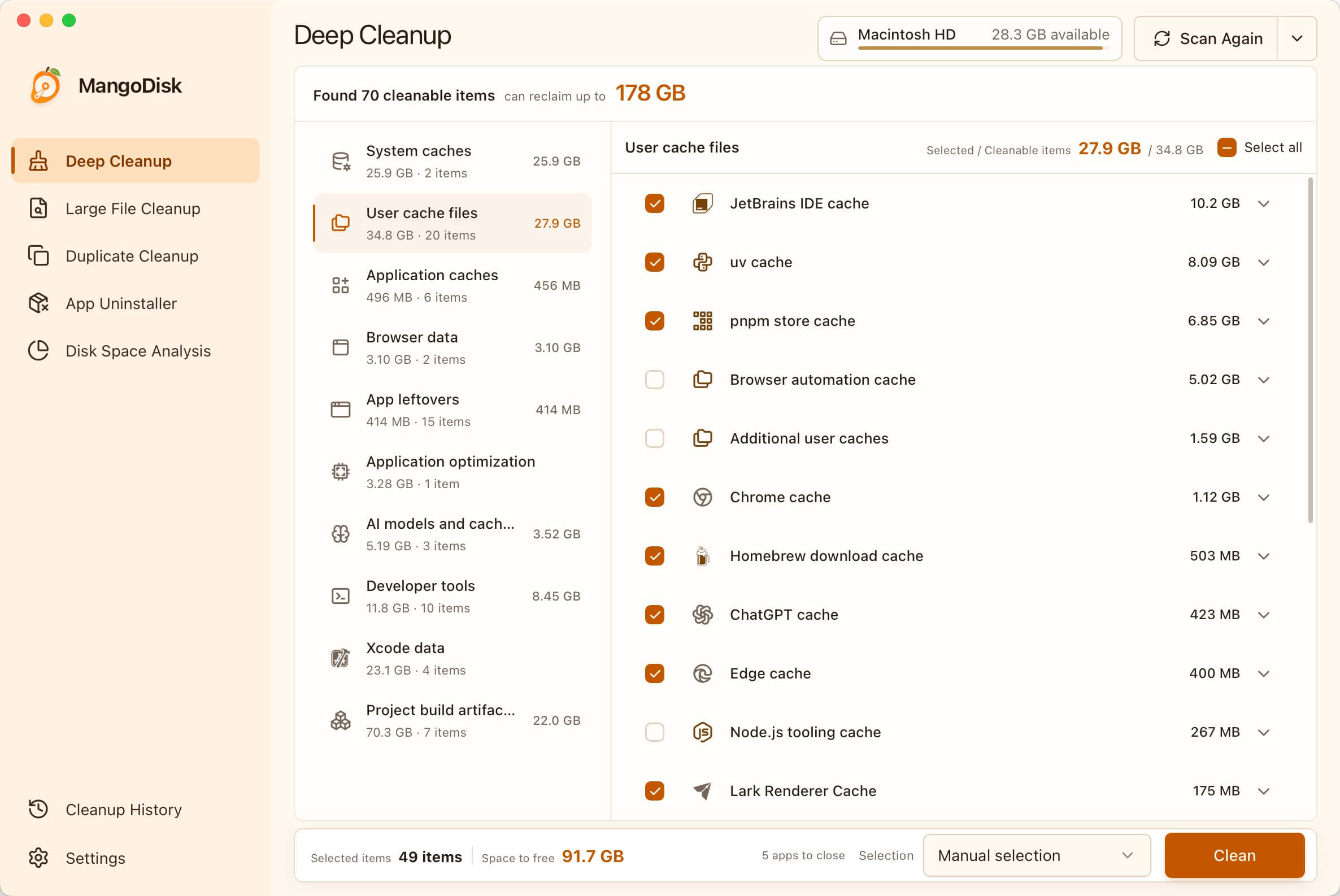
You choose what to delete after reviewing the results. Scanning does not delete anything. MangoDisk also prompts you to close affected apps before cleanup. Leave unfamiliar items unchecked rather than selecting everything for a little more space.
Apps may rebuild or download caches when they need them again, so some content can take longer to open afterward. Clearing a cache does not keep it empty forever.
Find what's taking up space beyond caches
Sometimes the bigger problem is an old installer, a forgotten video, or a folder you haven't opened in months. Repeatedly clearing caches won't help much if they aren't taking up most of the space.
MangoDisk's Disk Space Analysis turns folder sizes into a treemap: larger blocks mean more storage used. Open a large block and work your way into its subfolders to find what's inside, without checking each folder's size individually.
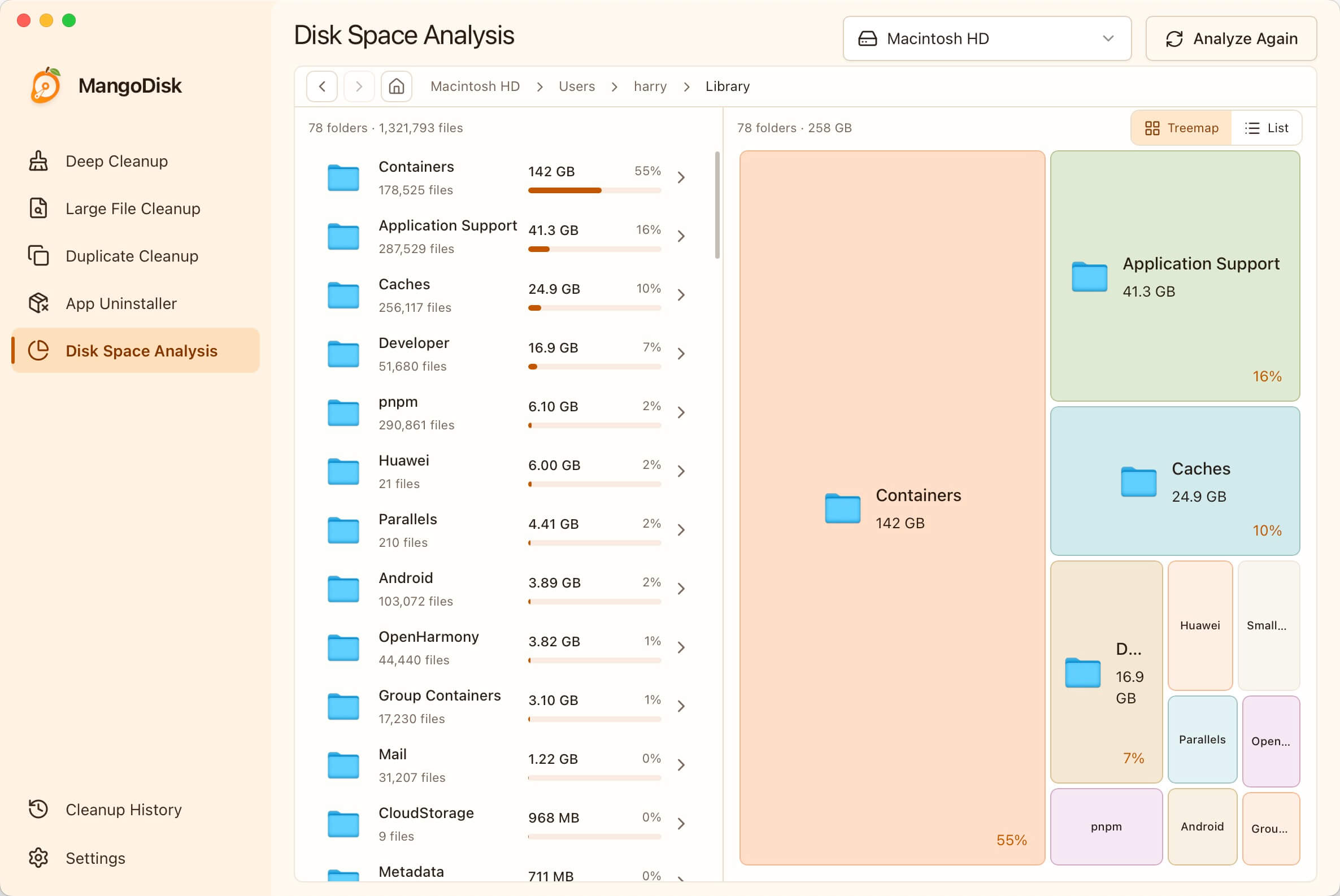
For old installers, archives, or videos, Large File Cleanup lets you filter by type and size. Finding a few large files you no longer need can be more useful than hunting down dozens of tiny ones.
The map shows size, not whether a file is safe to delete. Photo libraries, work folders, and app data may be large for a reason. Deletions from Disk Space Analysis are permanent and do not go through the Trash. Back up important files first.
Check related files when uninstalling an app
Dragging an app to the Trash can leave its caches, settings, and local data elsewhere on your Mac. Tracking those files down yourself takes time, and similar names aren't enough to tell you what belongs to what.
In MangoDisk's App Uninstaller, sort apps by size and expand one you no longer use. Review the related files the scan found, then remove the ones you don't need along with the app.
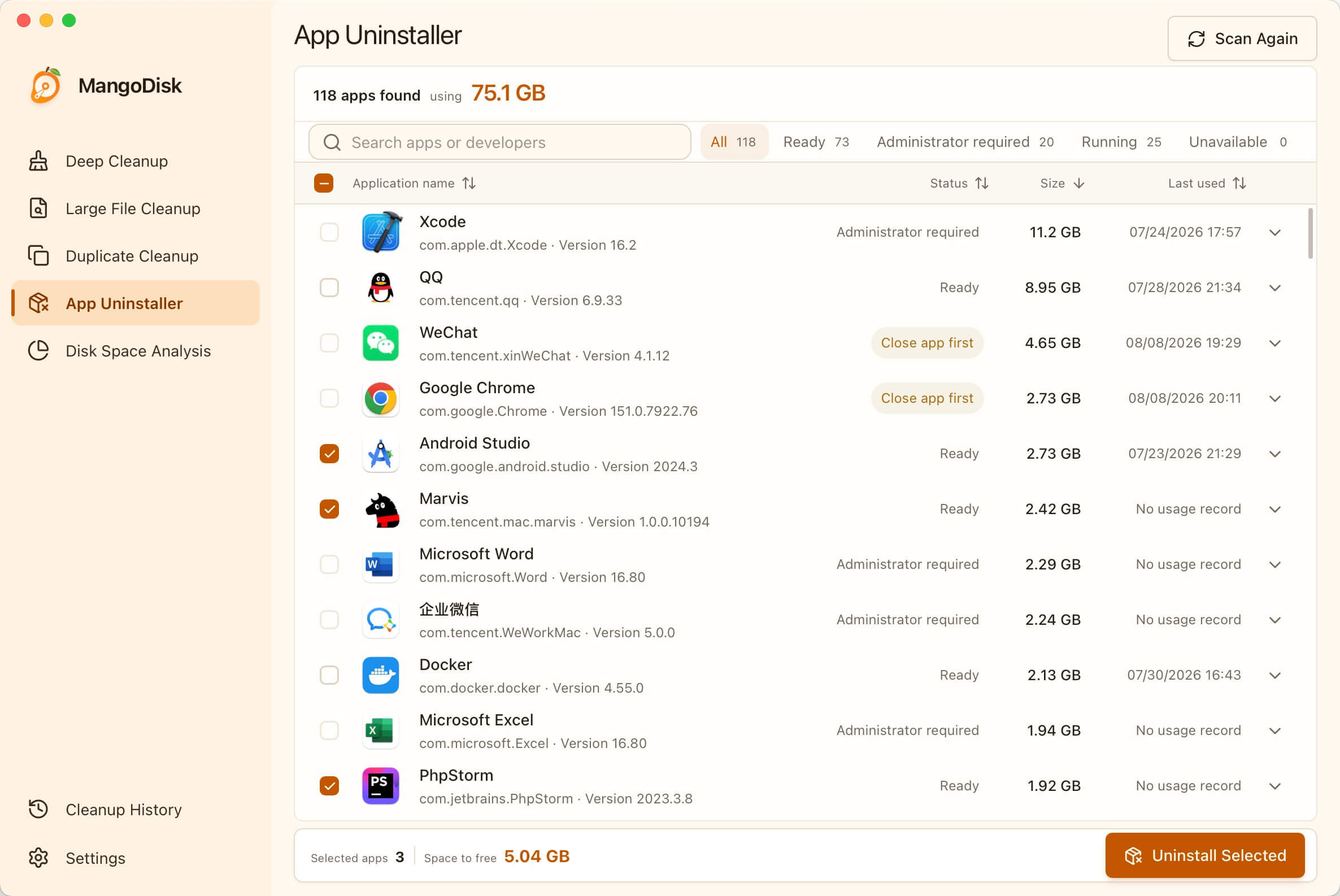
Related files aren't all disposable: they may include settings, templates, or personal data. Keep anything you might need after reinstalling. Save your work and quit the app before uninstalling; these deletions bypass the Trash, and reinstalling an app will not bring deleted data back.
If the developer provides a dedicated uninstaller, follow their instructions first. See uninstalling Mac apps and checking leftovers for a closer look.
When is MangoDisk a good alternative?
If you want to clear caches, find large files, see where storage goes, and check leftovers when removing apps, MangoDisk offers a free way to do those jobs. It can also find exact duplicate files by their contents and manage apps that start automatically.
It isn't a replacement for every CleanMyMac feature. CleanMyMac's official feature list also includes malware protection and app updates, which MangoDisk does not replace. If those are the reasons you use CleanMyMac, disk cleanup alone isn't the whole comparison.
To see what might be worth clearing on your Mac, download MangoDisk. The scanning and cleanup covered here run locally and don't require AI. The source code is public, too.
Unsure about a file category? Check the safe cleanup guide before deleting it. If the biggest mystery is the “System Data” category in macOS storage settings, continue with finding what's behind large Mac System Data usage.